Best Trading Simulators for Testing Trading Strategies


Have you built a trading strategy but are not sure if it can perform in real market conditions?
Many traders face the same problem. A strategy may look good on paper, but testing it with real money too early can lead to unnecessary losses.
That is where trading simulators can help. They allow traders to test strategies across financial markets, review win rate, profitability, and max drawdown, and build confidence before opening a real trading account.
In this guide, we compare the best trading simulators, what each tool offers, and how to choose the right one that fits your needs.
Key Takeaways
- A trading simulator helps traders test strategy rules, practise execution, and review performance before moving to live markets.
- Different simulators provide different data and may fit different markets, from paper trading to backtesting and portfolio simulation.
What Is a Trading Simulator?
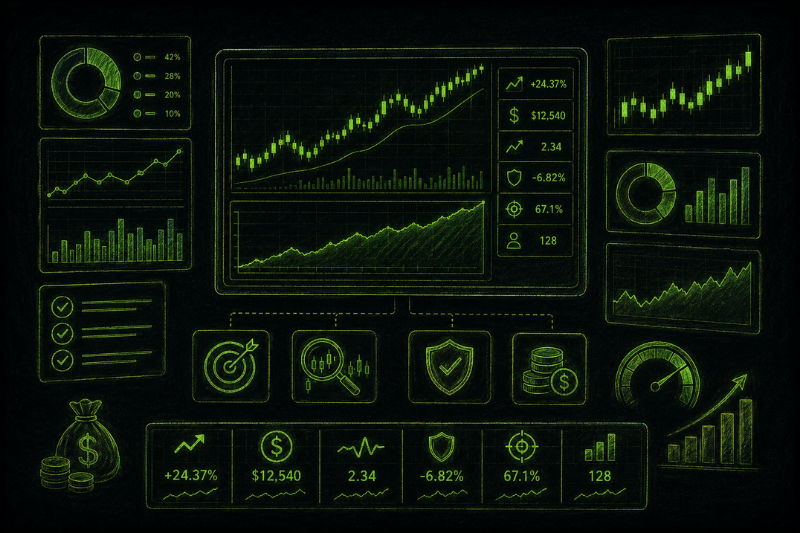
A trading simulator is a tool that lets traders test a strategy in a simulated market environment before using real capital.
The goal is to measure how a trading strategy performs when its rules are followed consistently. Depending on the tool, a simulator may show results such as win rate, profitability, max drawdown, risk exposure, execution behaviour, or portfolio growth.
How to Choose the Right Trading Simulator
The right trading simulator depends on what the trader wants to test. A paper trading simulator is useful for practising entries, exits, order types, and platform execution.
A risk simulation tool is better for reviewing max drawdown, losing streaks, position sizing, and possible portfolio growth. Monte Carlo simulators, for example, model different account-growth scenarios based on inputs such as starting capital, win rate, risk-to-reward ratio, and risk per trade.
A good trading simulator should help answer practical questions:
- Can the strategy stay profitable across different market conditions?
- What is the expected maximum drawdown?
- Which assets or timeframes produce weaker results?
- Does the strategy have an edge, and can it survive drawdowns?
This makes trading simulators useful for both beginners and experienced traders.
Best Trading Simulators Compared
The table below compares each simulator by its main use case, supported markets, and the type of testing it is best suited for.
Ready to Test Your Strategy in a Real Market?
Top One Trader can be a strong choice for traders looking for a funded account, offering clear rules, advanced platforms, and fast payout processing.
Best Trading Simulators: Features, Pros, and Limitations
1. Webull Paper Trading
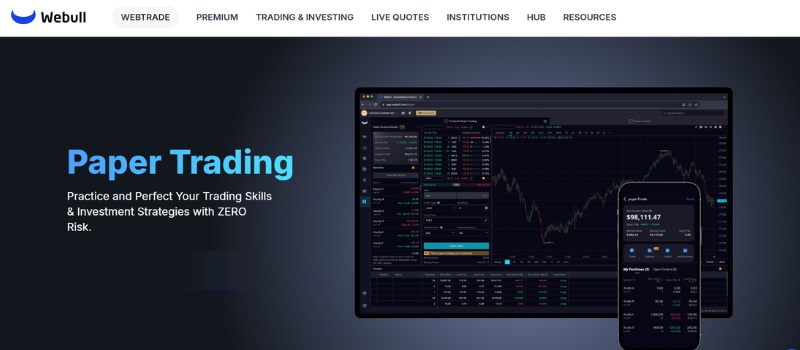
Webull Paper Trading is mainly useful for execution practice. It gives traders a simulated environment where they can test ideas, practise entries and exits, and follow market movement without placing live trades.
What makes Webull different is that it works well as a free trading simulator for stocks, ETFs, options, and futures. It can be useful for day traders who want hands-on experience with charts, alerts, and market data tools.
Data used and results provided:
Traders choose the asset, order type, entry, exit, trade direction, and position size. The simulator then shows virtual profit or loss, open positions, order behaviour, and basic execution feedback.
Advantages:
- Free and easy to access
- Useful for paper trading and execution practice
- Includes charts, alerts, and market data tools
- Helps traders build trading skills before using real money
Disadvantages:
- Not built for deep backtesting
- May not fully reflect slippage, liquidity, or emotional pressure
2. eToro Virtual Portfolio
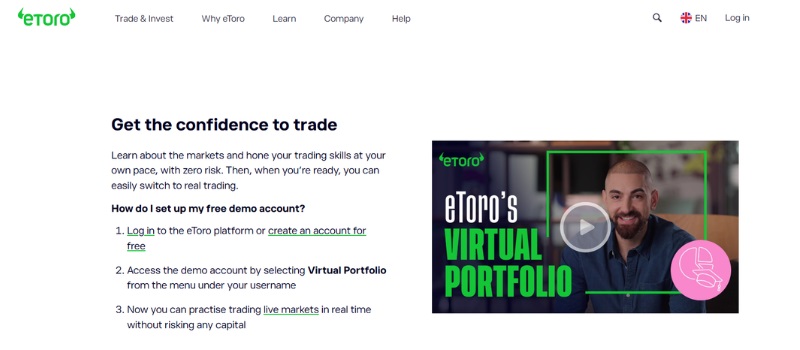
eToro Virtual Portfolio is better suited for multi-asset portfolio practice. It allows traders to test positions across different financial markets using virtual funds.
What makes eToro different is its broad market access. Traders can test ideas across stocks, ETFs, cryptoassets, currencies, commodities, and indices inside one virtual portfolio.
Data used and results provided:
Traders select assets, position size, trade direction, and portfolio allocation. The platform then shows virtual portfolio performance, unrealised profit or loss, and exposure across markets.
Advantages:
- Good for portfolio-style practice
- Covers different asset classes
- Useful for testing favorite assets in one place
- Helps build confidence before real trading
Disadvantages:
- Not a full strategy backtesting engine
- Less useful for detailed max drawdown or risk simulation
3. thinkorswim paperMoney
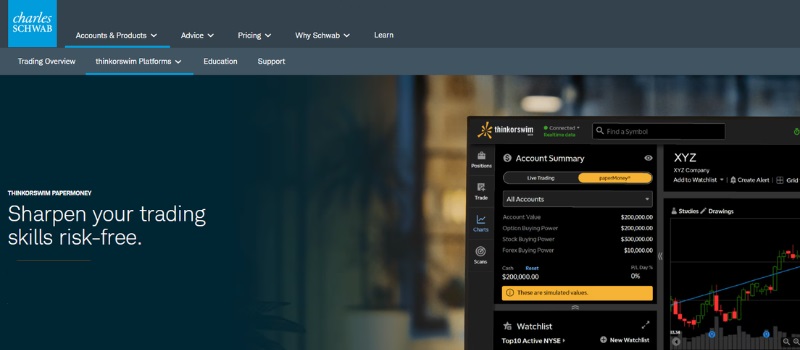
thinkorswim paperMoney is an advanced simulated trading environment from Charles Schwab. It is useful for traders who want to learn a professional platform, test order types, and practise more complex strategies.
What makes thinkorswim different is the depth of its tools. It is closer to an advanced stock trading simulator than a basic demo account.
Data used and results provided:
Traders enter simulated trades, choose order types, use charts, and test setups. The platform shows simulated trade results, position behaviour, and platform-based execution feedback.
Advantages:
- Advanced charting and trading tools
- Useful for stocks, ETFs, options, futures, and forex practice
- Good for traders who want to spend time learning a serious platform
- Strong choice for more experienced traders
Disadvantages:
- Can feel complex for complete beginners
- Still does not fully copy live-market emotions or execution risk
4. TradeStation Simulator
TradeStation Simulator is designed for simulated execution and strategy testing. It gives traders a way to practise inside a professional trading platform before using real capital.
What makes TradeStation different is that it focuses on platform-based testing, not just basic simulator practice. This can help traders test orders, tools, charts, and strategy rules in a more advanced environment.
Data used and results provided:
Traders use market data, charts, order types, and strategy rules. The simulator helps show simulated execution, trade outcomes, and how a strategy may behave inside the platform.
Advantages:
- Useful for advanced platform practice
- Supports stocks, options, and futures
- Good for testing tools before connecting a brokerage account
- Helpful for traders who want more structured execution practice
Disadvantages:
- May be too advanced for basic practice
- Not the simplest option for complete beginners
5. Moomoo Paper Trading
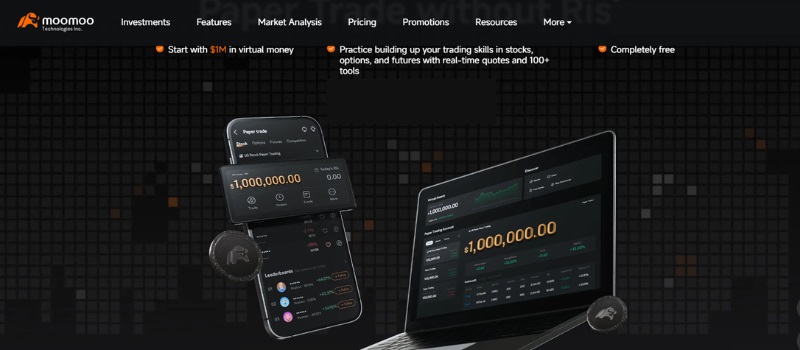
Moomoo Paper Trading is useful for traders who want hands-on market practice across stocks, options, and futures. It provides virtual funds, quotes, and analysis tools for testing trade ideas in a simulated account.
What makes Moomoo different is its mix of paper trading, market tools, and learning features. It can help traders build knowledge and trading skills through repeated practice.
Data used and results provided:
Traders choose the market, order type, trade direction, and position size. The simulator shows virtual funds, open positions, order results, and practice performance.
Advantages:
- Free paper trading access
- Useful for hands-on experience
- Helps traders practise with different markets
- Available across web, desktop, and mobile
Disadvantages:
- Some access or product features may depend on platform version
- Better for practice than full strategy-risk analysis
6. Monte Carlo Trading Simulator
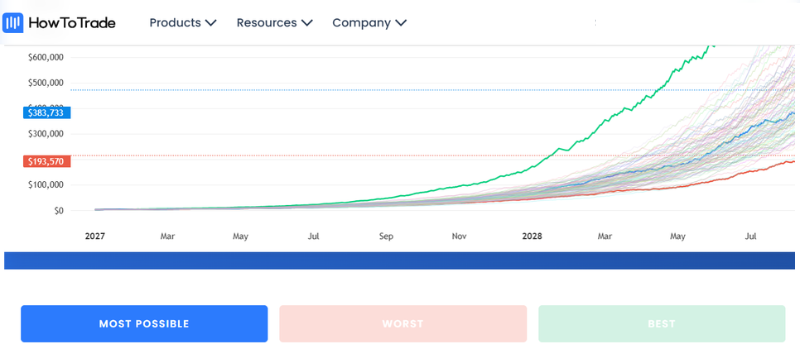
Monte Carlo simulation is different from paper trading. It does not recreate a live market environment or help traders practise order execution. Instead, it stress-tests a strategy by modelling different sequences of wins and losses to show how performance could change over time.
One useful example is the HowToTrade Monte Carlo Simulator, which focuses on risk, drawdown, and portfolio-growth scenarios. This makes it helpful for traders who already have backtest or journal data and want to understand how stable their strategy may be under different outcome paths.
Data used and results provided:
Traders input data such as win rate, risk-to-reward ratio, risk per trade, position size, and starting capital. The simulator then shows possible equity curves, max drawdown, profit probability, risk exposure, and account growth scenarios.
Advantages:
- Strong for risk simulation
- Helps review max drawdown and account survival
- Useful for refining risk management
- Good after collecting backtest or trading journal data
Disadvantages:
- Does not teach entries, exits, or order execution
- Output quality depends on the accuracy of the data entered
How to Use a Trading Simulator

A trading simulator is most useful when traders test a defined strategy. Before testing, traders should define the strategy rules they want to follow, including:
- Market or asset
- Timeframe
- Entry rule
- Exit rule
- Stop loss placement
- Risk per trade
The simulator can then help traders review performance data such as win rate, profitability, max drawdown, risk-to-reward ratio, execution quality, and portfolio growth.
If the simulator gives strong results, it may suggest that a strategy has an edge, but those results do not guarantee the same outcome in live markets.
To get results close to what the simulator shows, traders need to follow the same rules as strictly as possible. This is where psychology, emotional control, discipline, and risk management become important.
Real results can also differ because of spreads, commissions, slippage, liquidity, and execution conditions. Some simulators do not fully include these costs or market factors when testing strategies.
That is why simulator results should be treated as useful evidence, not guaranteed performance. If real trading results are close to the simulator results, it can show that the trader is applying the strategy with consistency and discipline.
Final Thoughts
Trading simulators are reliable for testing strategy rules, reviewing performance, and identifying whether a strategy may have an edge. However, simulator results are not enough on their own.
Real trading includes spreads, slippage, emotions, and execution pressure. To prove your edge in live or funded trading, you need discipline, clear risk management, and the ability to follow your trading plan consistently.
Looking to Test Your Strategy in a Funded Account?
Top One Trader offers quick payouts, flexible account types, fair rules, and advanced platforms, creating a structured environment designed to support consistent, disciplined traders.
FAQ
What is the best free trading simulator for beginners?
The best free trading simulator is one that lets beginners practise trading with virtual money, enter trades easily, and review results without financial risk. It should also offer useful resources, training tools, and a simple platform to build the confidence needed before real trading.
Can a trading simulator help with risk management?
Yes. A trading simulator helps traders practise risk management by testing position size, stop losses, and drawdown limits in a risk-free environment. This allows traders to understand how their strategy may perform before real capital is involved.
Do trading simulators use real-time data?
Some trading simulators provide real-time data, while others use delayed or historical real market data. Real-time data is especially useful for day traders who need to practise fast decisions based on live price movement.
What can I trade on a stock trading simulator?
A stock trading simulator usually allows traders to practise on the stock market using virtual money. Depending on the platform, users may be able to test their favorite assets, create watchlists, enter trades, and review past performance.
Is simulator practice useful before investing real money?
Yes. Simulator practice helps traders build trading skills, understand market behaviour, and reduce the risk of entering the real investing world without preparation. It is also useful for testing trading programs before real money is involved.
-1%201%20(1).webp)